
Cute Instagram story stickers and the new AI feature
Are you looking to up your Instagram story game with some Instagram story stickers? It is the social network feature you need to use! It’s crazy too think that Instagram has 2 billion monthly active users!
Well, you’re in luck! Instagram has just rolled out a new AI feature for its story stickers, and it’s an ABSOLUTE game-changer.
The best way to get your audience invested in your account is to make engaging and interactive content! Yes, this includes cute Instagram stickers!
If you’re looking for more social media tips, then read my full gallery of tips and advice. I also have a guide to boosting story views & engaging your audience through stories!
From hashtag stickers to poll stickers, location stickers to link stickers, and even GIF stickers, there’s now an easy way to create cute and engaging stories that will make your followers tune in for more. Let’s dive into how to use them, and why everyone needs to use these new Instagram story stickers!
If you want to see the new cute story stickers – skip down to the AI feature they just released!
Have a look at my Instagram profile – all my stories are saved to my highlights.
After you’re done with this article, you might be interested in my other Instagram tips on:
Cute Instagram Stories Stickers
120 Best trending songs & music for Instagram stories
Best and Baddie captions & quotes for Instagram
Instagram music not working? 17 quick ways to fix
Baddie usernames to choose for TikTok

Cute Instagram Story Stickers
Here’s your full guide to Instagram story stickers! IG is definitely one of my favourite social media platforms and this latest update is a lot of fun!
A lot of people used to use ‘new posts’ stickers to let people they’ve posted, but in my opinion, that doesn’t really do much. Unless you’ve got a super exciting post… it might be better to show people the behind the scenes of your post or little teasers. It’s definitely a more fun way of engaging people!
And definitely mix it up too, whether that’s video stories or photo stories, keep it interesting!
I also have a guide to boosting story views & engaging your audience through stories!
How to add stickers to your instagram stories
First up, let’s talk about how to add cute Insta story stickers to your feed.
Adding stickers to your Instagram story is easy and straight forward and can seriously up your IG game in a good way! Here’s how you can do it:
- Open Instagram: Launch the app and tap on your profile picture to create a new story.
- Take a Photo or Video: Capture a moment or choose one from your camera roll.
- Tap the Sticker Icon: It looks like a square smiley face and is located at the top of the screen.
- Choose Your Sticker: Scroll through the options to find the perfect one for your story. You can use hashtags, polls, location tags, links, Instagram GIFs, and more.
- Customise Your Sticker: Some stickers, like the poll sticker, allow you to customise the question or choices. Simply tap on the sticker to make changes.
- Place Your Sticker: Tap and hold the sticker, then drag it to the desired location on your photo or video.
- Add More Stickers: Feel free to add multiple stickers to your story for a fun and interactive touch.
- Share Your Story: Once you’re happy with your stickers, tap “Your Story” at the bottom of the screen to share it with your followers.
Experiment with different stickers to make your stories more engaging and entertaining! Have a look at my Instagram profile for more examples – all my stories are saved to my highlights.

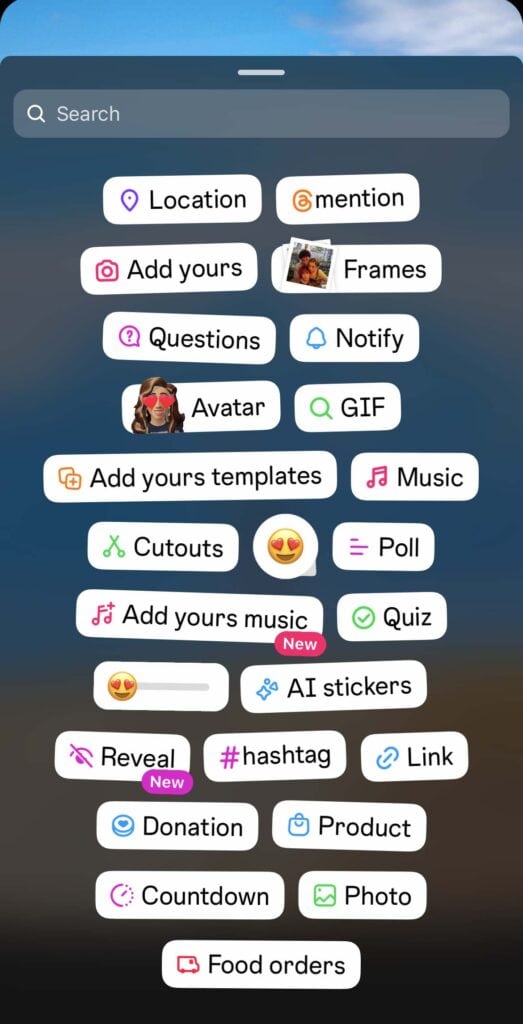
All the different stickers you can use on stories
IG story stickers are a great way to spice up your stories and getting your followers involved.
A lot of these are interactive stickers, and they are good to get people involved in your storyline!
Question Sticker
The question sticker is a fab way to get your followers to chime in with their thoughts or just shoot the breeze. It’s an awesome way to keep things lively and boost your engagement. I use multiple-choice questions to get people guessing or involved in questions!
I personally use it to get people to answer questions, or make suggestions and a great way to engage with my audience.
‘Tell me about something good that happened to you?’
‘Can anyone recommend some good restaurants in Vegas?’
Instagram users love to engage with their favourite storylines and this is one way to get them involved!
Quiz Sticker
Then there’s the quiz sticker, which lets you whip up fun quizzes for your crew. It’s a rad way to educate your followers about your brand or products without being boring. And don’t forget the countdown sticker—perfect for hyping up upcoming events or launches and keeping your audience pumped.
This is just a fun quiz opportunity!
Poll Sticker
This is one of my favourites and I always use it for quite a lot of fun.
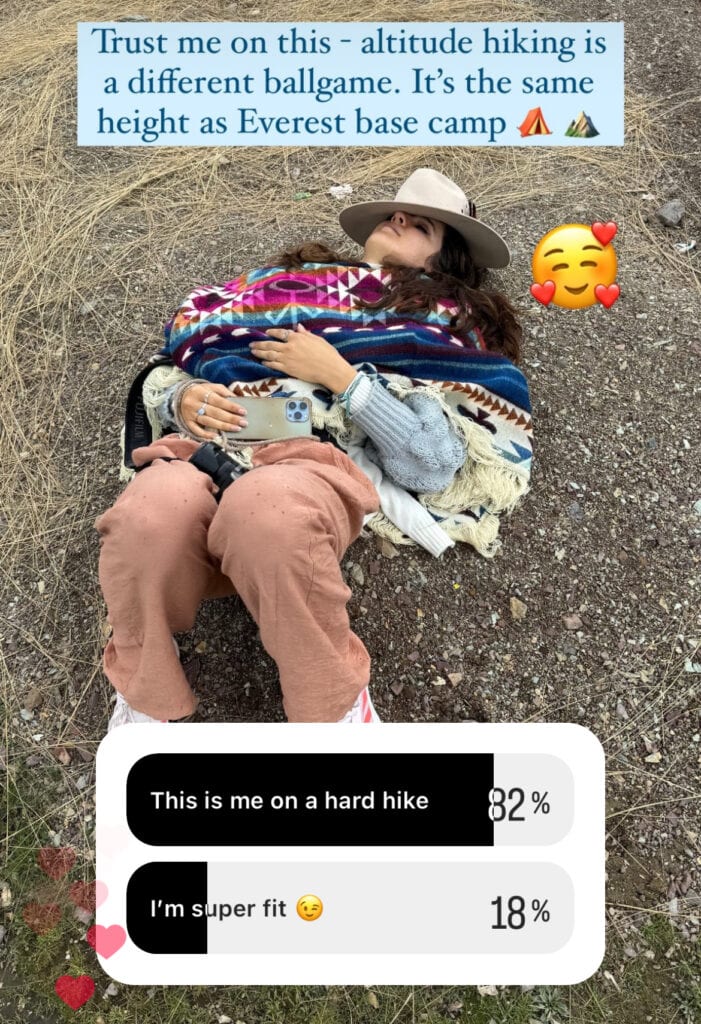
It’s a great way to engage your audience and also good for gathering feedback. They can be used creatively to host quizzes, gather opinions, tease upcoming content, and even create interactive tutorials. By using poll stickers, you can make your stories more interactive and build a stronger connection with your followers.
Mine is mostly for bants, like me here lying down after hiking at altitude.
Mention Sticker
If you’re all about getting your name out there, the mention sticker is where it’s at. Tag your mates or brands in your stories to increase visibility and maybe snag some new followers. And if you’re trying to connect with your local crowd, the location sticker is a game-changer.
Music Stickers
Music stickers, or simply, adding music are a way to add a different vibe to your stories. Whether you’re sharing your fave tunes or setting the mood, they’ll make your stories have a bit more of a theme.
I have a full guide on music you should add to your stories.
Emoji Stickers
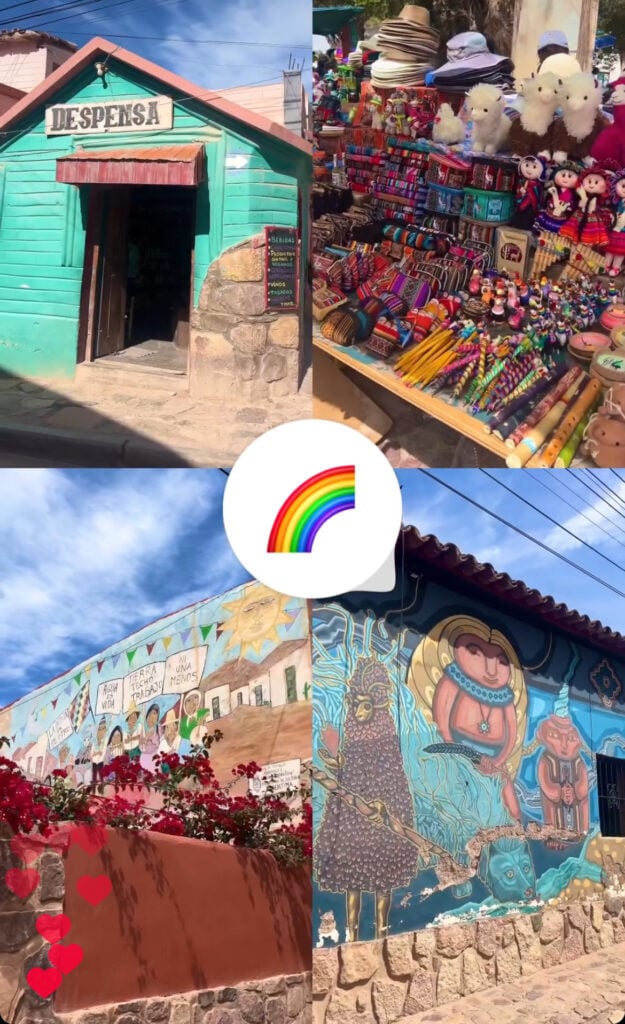
The emoji sticker on Instagram stories adds a fun and expressive element to your posts. You can use emojis to convey fun emotions, enhance your message, or simply add a touch of personality to your stories.
I use it often when I love a particular photo, in this instance I used the rainbow emoji for the colourful landscapes. People can tap the emoji if they agree with the sentiment.
Donation Stickers
And for charities or personal causes, the donation sticker is super useful. It’s an easy way to raise funds for a cause right from your stories and show your followers you care.
Link Sticker
Regarding the link sticker on IG stories—it’s a game-changer! If you’ve got a website, blog, or some content you wanna share that’s not on IG, this sticker is your bestie. Pop in a link, and your followers can swipe up to view the direct link to your chosen website.
It’s the easiest way to drive traffic to your site and keep your followers in the loop. Plus, it’s super handy for businesses looking to promote products or services. So, if you’re looking to share some juicy content or drive traffic like a boss, the link sticker is where it’s at.
Hashtag Sticker
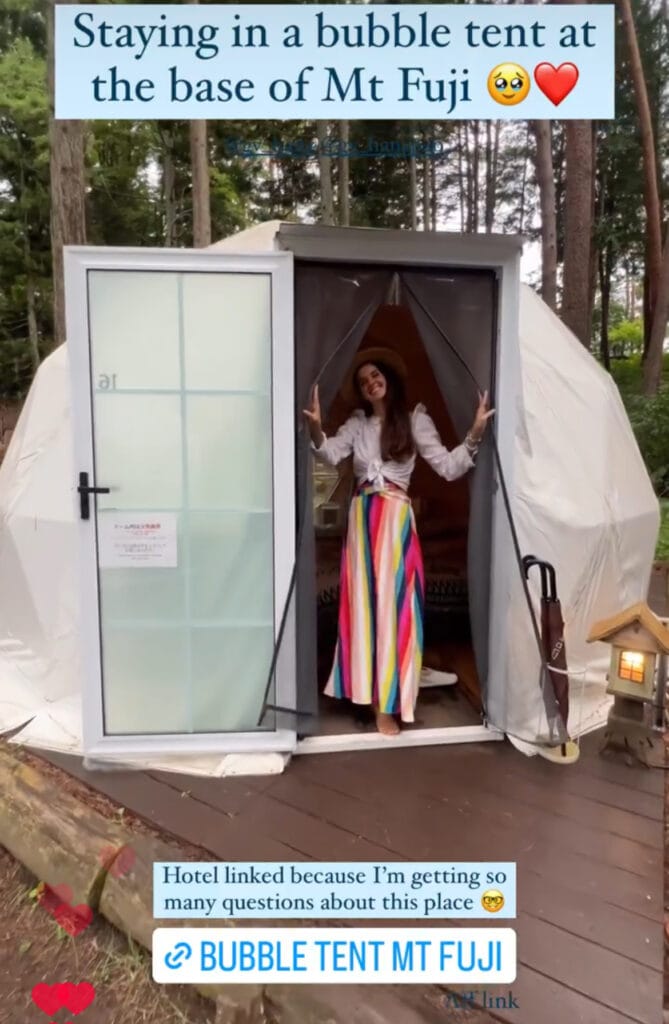
The hashtag sticker is a must-have for anyone looking to expand their reach and join trending conversations. Simply type in a relevant hashtag, (my go to is ‘travel’ or the name of the country I’m in.
Watch as it transforms into a clickable sticker that users can tap to explore related content. It’s an awesome way to increase your discoverability on Instagram and connect with like-minded users who share your interests.
Whether you’re joining a popular hashtag challenge or creating your own unique hashtag campaign, the hashtag sticker is your ticket to getting your content seen by a wider audience.
Although to be honest, I’m not sure if hashtags on stories work that well. I don’t envisage it bringing huge amounts of external audiences to your stories.
Emoji Slider Stickers
Emoji slider stickers are a fun and interactive way to get your followers’ opinions on a sliding scale.
Whether you’re asking them how much they love a new product or what they think of your latest outfit, the emoji slider sticker lets them express their feelings with just a slide of a finger. It’s a great way to engage your audience and sometimes I use to get feedback too.
GIF Stickers
Instagram GIF stickers are perfect for adding a touch of humour or personality to your stories. With thousands of animated stickers to choose from, you can easily find the perfect GIF to enhance your message or simply make your followers smile. From dancing cats to flying tacos, there’s a GIF sticker for every occasion.
There’s tones of cute GIFs to choose from. I always use the ‘arrow gif’ to help point out a link!

User-Generated Content Stickers
User-generated content (UGC) stickers are a powerful tool for building brand awareness and creating a sense of community among your followers. By sharing photos or videos that your followers have posted using a specific hashtag or mentioning your brand, you can show appreciation for their support and encourage others to join in. UGC stickers are a great way to showcase your brand’s personality and connect with your audience on a more personal level.
Social Media Content Stickers
Social media content stickers are a versatile tool for promoting your social media presence and driving traffic to your other platforms. Whether you’re sharing a link to your latest YouTube video or promoting an upcoming event on Facebook, social media content stickers make it easy for your followers to stay connected with you across all platforms. They’re a great way to expand your reach and engage with your audience in new and exciting ways.
New AI stickers for Instagram
I also have a guide to boosting story views & engaging your audience through stories!
Have a look at my Instagram profile for more examples – all my stories are saved to my highlights.
Let’s talk about the new sticker feature released by Meta AI.
It’s a great AI feature, because you can literally create ANYTHING! It’s a great way to generate fun stickers.
Want to see an octopus DJ in a club? Want to ask for a pony with a pink hat on? It can literally generate anything!
The new AI stickers on Instagram stories are a total game changer, revolutionising the way you can interact with our followers.
These stickers are you can literally type in anything and watch as it Instagram AI generates a picture or GIF of your description. Whether you’re looking to spice up your stories with cute images, engage your audience with interactive polls, or promote your brand with branded stickers, the possibilities are endless.
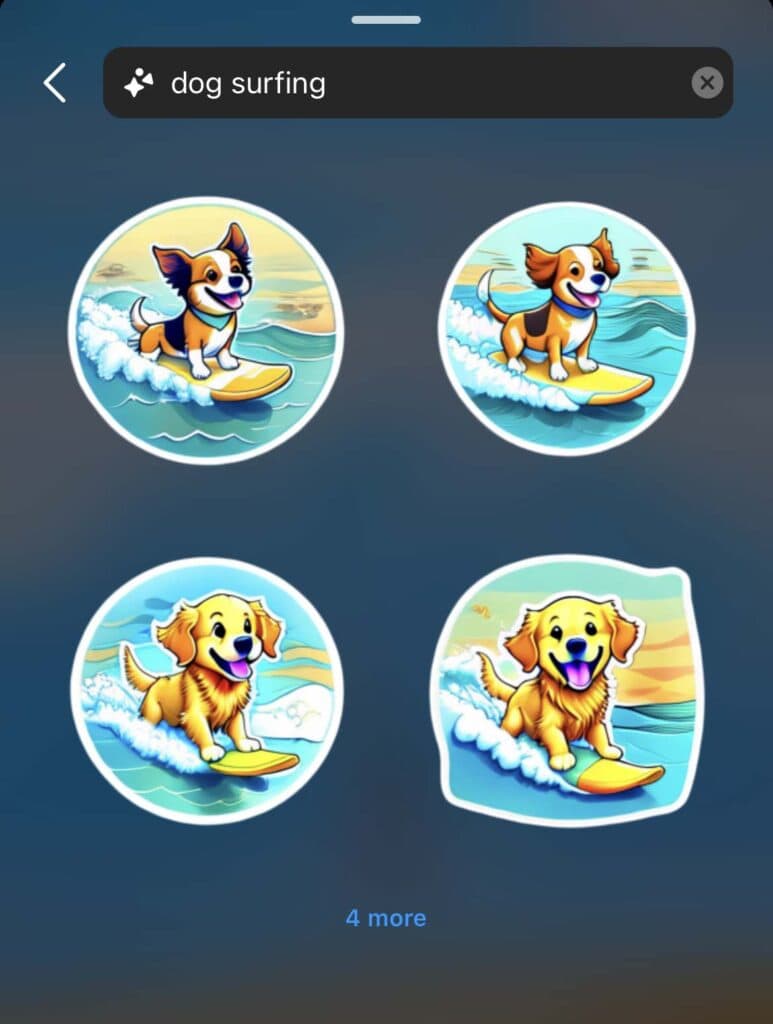
I actually had quite a lot of fun coming up with silly ideas for these! How about a dog surfing? Or maybe a smiling sunflower listening to music?
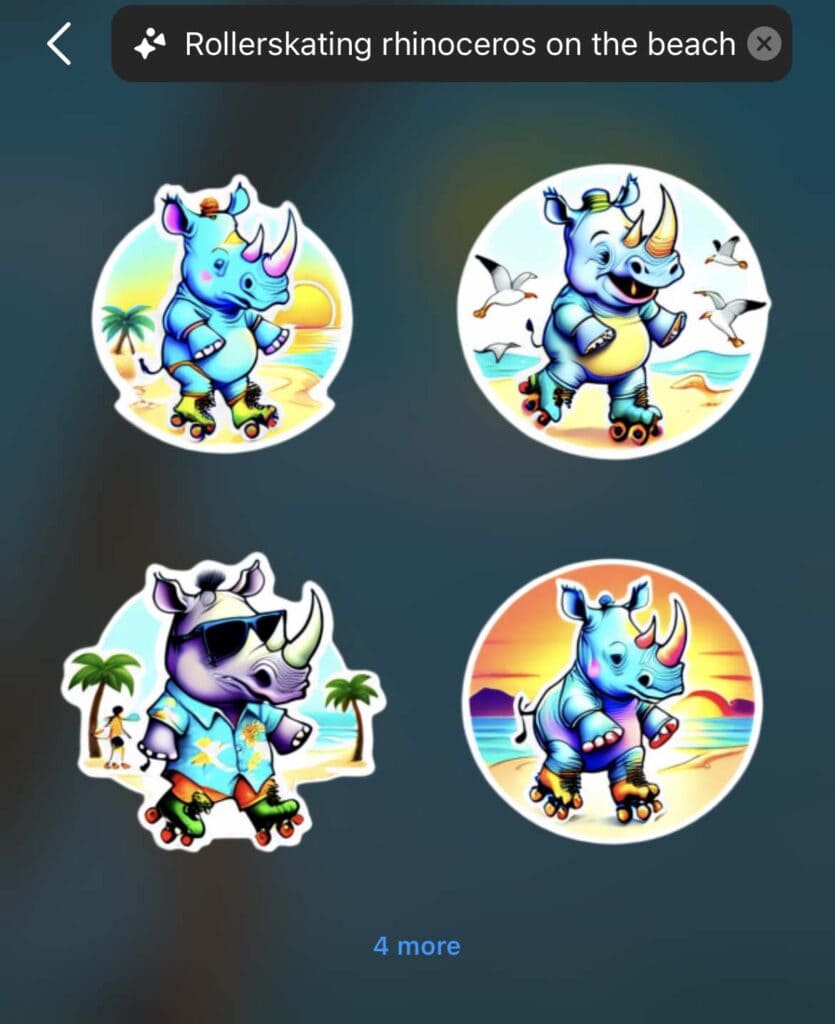
It gives you 4 options to choose from, and if you’re not happy, you can select the ‘4 more’ button to generate some more images.
In my opinion, generating a dog surfing is such a cute sticker and I definitely have started adding a few of these to my own stories.
Use custom prompts and a list of stickers will appear.
Here’s a smiling sunflower listening to music!

For small businesses, these AI stickers offer a fantastic opportunity to boost brand awareness and connect with their target audience in a fun and creative way. The donation sticker, for example, allows businesses to raise money for a cause directly through their stories, while the mention sticker helps them collaborate with other users and increase their reach.
One of the best parts about these new stickers is how easy they are to use. Simply tap on the sticker icon, type in what picture you want to come up with, and choose from a list of relevant stickers.
From there, you can customise the sticker to suit your needs and add it to your story with a single tap. It’s a quick and effective way to enhance your stories and make them more engaging for your followers.
Here’s a rhino skating on the beach! Literally generate the perfect sticker whenever you want and add it to your instagram profile.
Interactive Poll Stickers
I thought I would add a specific section for poll stickers cause I use these all the time and are pretty helpful!
Poll stickers on Instagram stories offer a dynamic way to interact with your audience, gather feedback, and boost engagement. Here are some creative ways to make the most of this interactive feature:
1. Product Feedback: Use poll stickers to get quick feedback on new products or services. Ask your audience about their preferences, favorite features, or suggestions for improvement.
2. Behind-the-Scenes Insights: Give your audience a glimpse behind the curtain by asking them to vote on different aspects of your daily routine, workspace, or creative process.
3. Interactive Tutorials: Create interactive tutorials or how-to guides where your audience can vote on different steps or options, making them feel more involved in the learning process.
4. Poll Games: Host fun poll games or quizzes related to your content. For example, a travel blogger could ask followers to guess the location of their next trip based on a series of clues.
5. Opinion Polls: Spark conversations by asking for opinions on relevant topics or current events. This can help you understand your audience’s interests and viewpoints better.
6. Product or Content Teasers: Build anticipation for upcoming products, events, or content releases by teasing them with poll stickers. For example, a musician could use polls to let fans vote on which song to release next.
7. Feedback Loops: Use poll stickers to close the feedback loop with your audience. For example, after implementing a suggestion from a previous poll, you can ask your audience how they like the change.
8. Interactive Storytelling: Create interactive stories where your audience can vote on the direction of the story, character decisions, or plot twists.
9. Q&A Sessions: Host interactive Q&A sessions using poll stickers. Invite your audience to ask questions, and use polls to let them vote on which questions you’ll answer.
10. Collaborations and Shoutouts: Collaborate with other users or give shoutouts to your followers using the mention sticker. This can help you connect with new audiences and show appreciation to your existing followers.
By using poll stickers creatively, you can not only engage your audience but also gain valuable insights, strengthen your relationship with your followers, and maybe even have a laugh!
That’s it! Happy gramming!
Have a look at some of my other Instagram guides:
Best songs for Instagram stories
Boosting Instagram story views
Instagram music not working? 17 ways to fix


