Best App for Hairstyles: How to Try Different Looks with FaceApp
My hair has basically looked the same for years and one of my friends said the best app for hairstyles is FaceApp. I like it, but lately I’ve really wanted to try something different. The problem is, I have absolutely no idea what…
I travel a lot around Europe and need a new vibe I think. Do I go shorter? Change the color? Try bangs? Go darker? Go red? Attempt something completely different and immediately regret it? I got a fringe when I was in my early 20s and the first thing my boss said was ‘I preferred it before’.


I’m also one of those people who can look at a hairstyle on someone else and think it looks gorgeous, but I genuinely cannot picture what the same style would look like on my own face.
So instead of booking a hair appointment and hoping for the best, I decided to try a load of different hairstyles on FaceApp first.
This is basically my little hairstyle experiment. I’ve tried different lengths, cuts, bangs and hair colors to see what I actually like, and I’m going to put the results throughout this post so you can decide too.
Here’s my ORIGINAL photo (not edited) for reference:
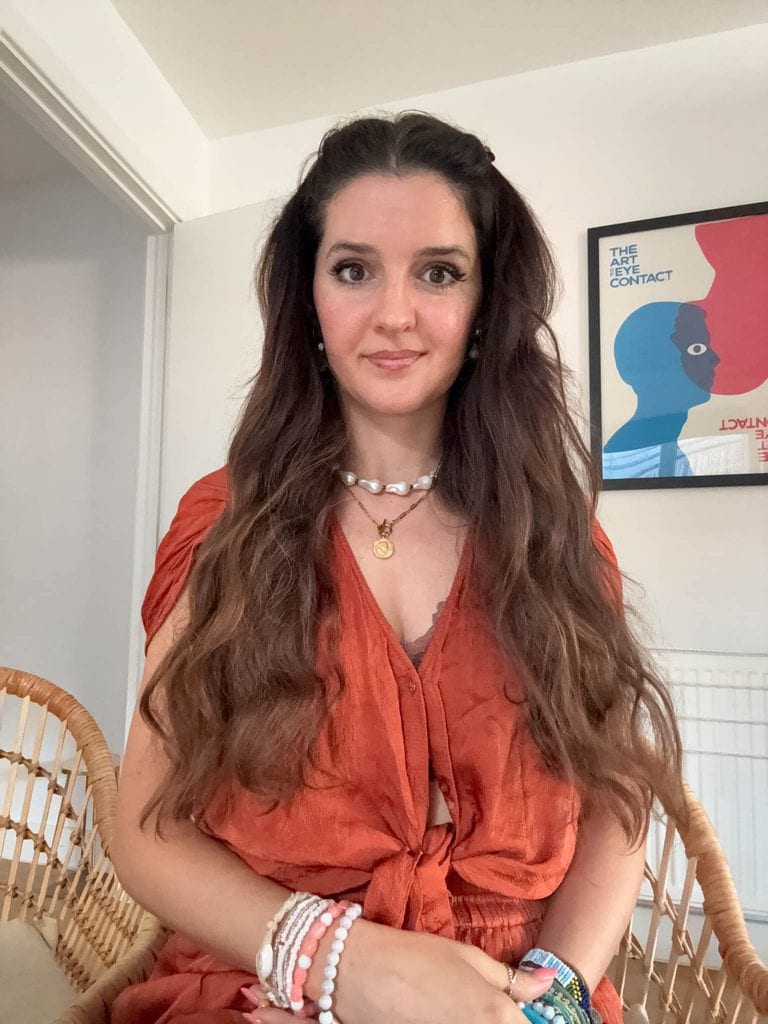
The best app for hairstyles: What Is it?
A hairstyle app is basically a way of trying a new hairstyle without actually touching your real hair.
You upload a photo of yourself using FaceApp and use the editing tools to change your hair digitally. Depending on the app and the tools available, you can experiment with things like different hairstyles, lengths, colors and cuts.
I think the biggest appeal is seeing everything against your own face.
I can save hundreds of hair inspiration photos, but the person in the image probably has a completely different face shape, hair texture and overall style to me.
Using a hairstyle changer makes it much easier to picture the change.
And if you try something truly terrible, you can just delete the image rather than spending six months growing your hair back.
Much better 😂
How to Try Different Hairstyles on Your Photo
The first thing I did was find a decent photo.
I’d definitely choose an image where you’re looking fairly straight at the camera and where you can clearly see your face and hair.

You don’t need a professional photo or anything particularly fancy. You just want something clear enough that the app has a good image to work with.
Then upload it and start playing around.
I actually think you’re better off trying loads of styles rather than only testing the hairstyle you already have in mind.
Some of the looks I assumed I’d like weren’t my favourites at all, while some of the random ones made me think, hang on, maybe I could actually pull this off.
It’s also worth using more than one photo if you’re seriously considering a haircut.
Something can look completely different from another angle, just like your normal hair does.
How to Use FaceApp to Try a New Hairstyle
Using FaceApp for this is pretty simple.
I uploaded my photo, went into the hair editing options and started testing different looks.
Many of the hairstyles have a scale – scale hairstyles UP and DOWN from 1-5, increasing volume, texture etc. to get the right look you want.
Rather than trying to decide immediately whether I liked something, I saved a few results so I could compare them afterwards.
This helped SO much. Have a look at the scale below from 1-5 on the Wavy 2 Hairstyle. It can give a little context for how much or little you want. The one on the left shows a scale of 1 of waviness, but the picture on the right shows a scale of 5 which is giving much more 80s.

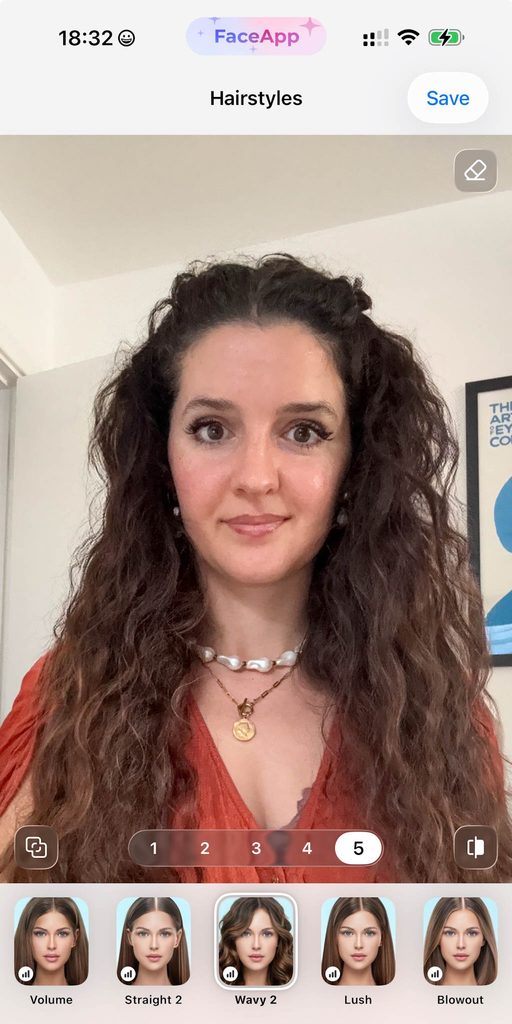
When you’ve had your hair in a similar style for years, seeing yourself with something completely different initially looks a bit strange regardless of whether it actually suits you.
I found it much easier to look through everything afterwards and decide which styles I genuinely liked.
You can also send the photos to friends and ask them what they think.
Just prepare yourself for everyone to have a completely different opinion haha!
What Hairstyles Can You Try on FaceApp?
This was the bit I had the most fun with because I wanted to try things that actually looked different from my usual hair.
I tested shorter styles, different shapes around my face and several different cuts to see whether changing the length made a massive difference.
And then there were fringes, or if you’re American, bangs.
There are so many different ways bangs can completely change a face, so I wanted to try a few options rather than just going straight for one dramatic fringe.
I tried softer bangs, curtain bangs and fuller bangs to see how each style changed the shape around my face.
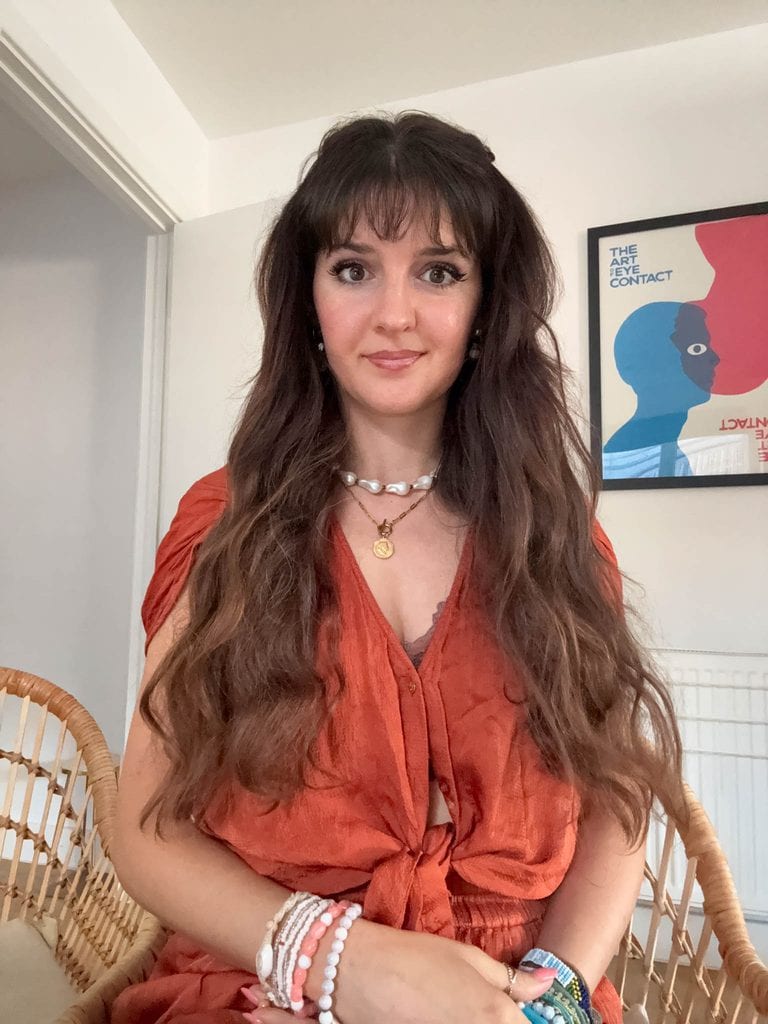
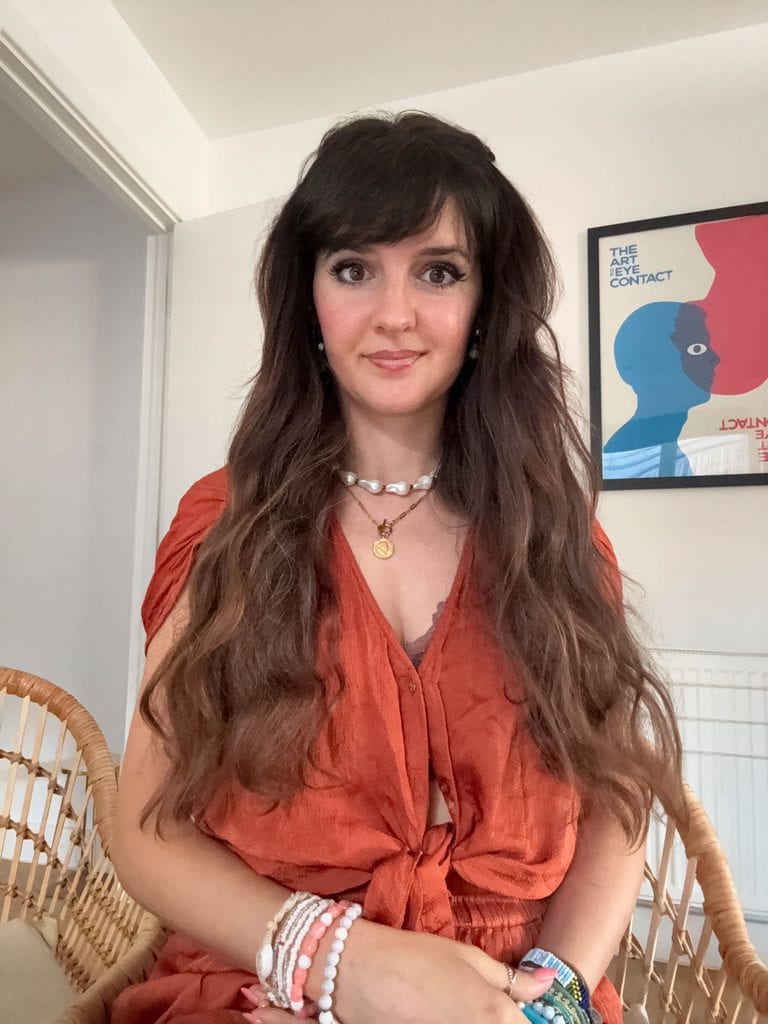
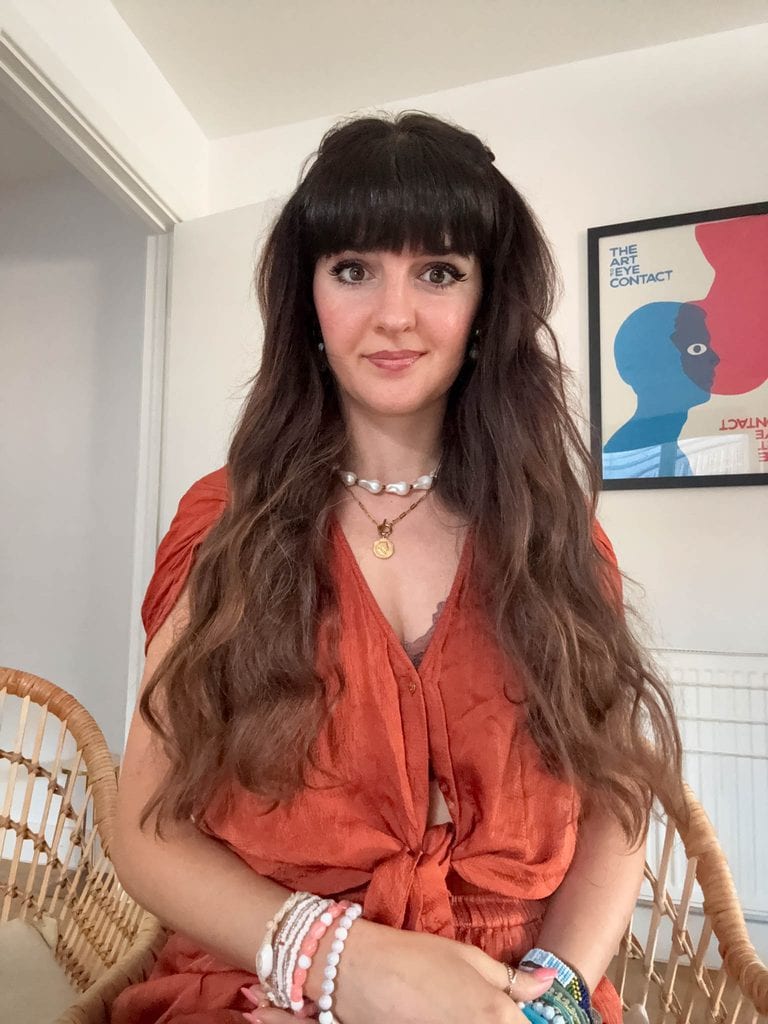
Personally, I think this is one of the most useful things to preview because bangs are SO easy to convince yourself you want at 10pm while scrolling through photos online.
Then you remember the growing out stage.
Trying them on a photo first feels like a much safer plan.
I’d also experiment with hairstyles you normally wouldn’t consider. You might immediately hate them, but occasionally there’s one that completely surprises you.
Can You See What You Look Like With Short Hair?
This was one of the main things I wanted to test.
I’ve had longer hair for such a long time that going short feels like a massive change.
And unlike changing your parting or styling your hair differently, once you make a major cut there’s no immediate undo button.
Being able to preview short hair against my own face made it much easier to decide whether I actually liked the overall look.


It also gives you a better idea of how a shorter shape might work with your face shape. Mike says the bob makes me look ‘older’ so maybe a no from me, even though it’s not bad.
Trying Different Hair Colours
Then I moved onto hair colors, and this was probably the most entertaining part.
I started fairly sensibly.
Brown.
Black.
Red.
Different shades around my normal hair color.

And then obviously I got carried away.
I tried pale blue hair, brighter colors and the kind of mermaid or unicorn hair that I’m extremely unlikely to casually request at my next hair appointment 😂
But this is exactly why I like being able to experiment with a photo.
There’s absolutely no commitment.
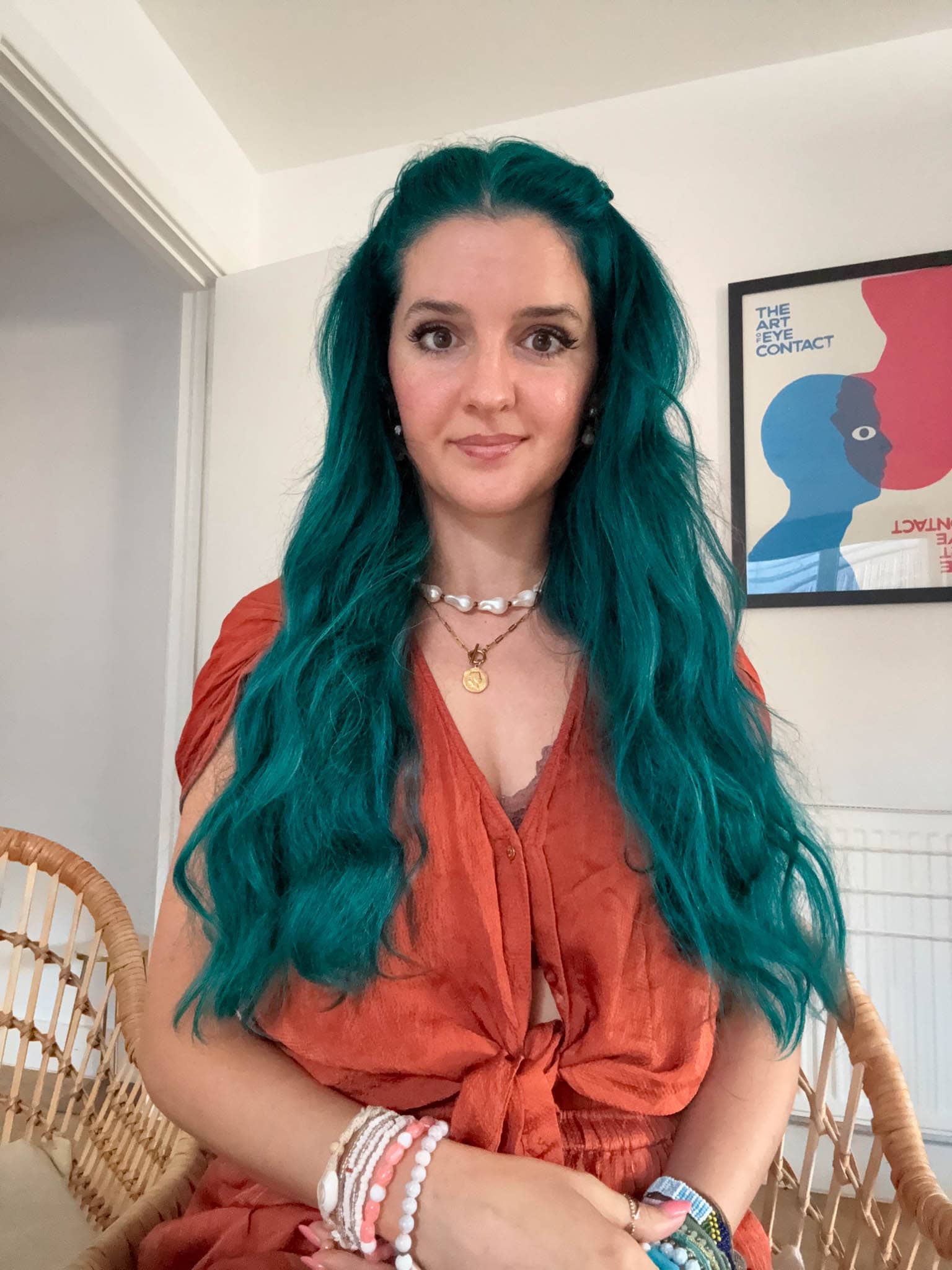


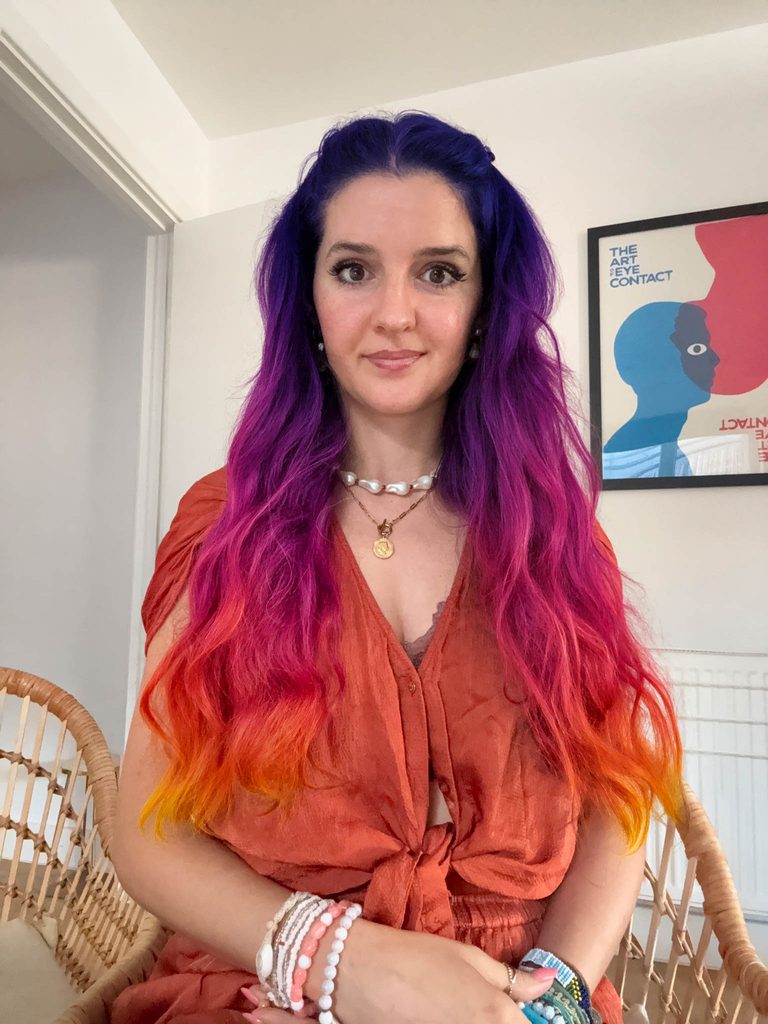
Going from lighter hair to black in real life is a pretty big decision. Going red can completely change your appearance. Going pale blue is probably something I’d like to think about for longer than thirty seconds.
With an image, you can try all of them.
I surprisingly liked the coloured hair and Mike did too. Will I change it? Probably not because it’ll be difficult with my dark hair to colour it all the time but maybe I can buy a wig!
Can FaceApp Help You Decide What Hairstyle Suits You?
I think this is where a hairstyle app is genuinely handy.
What it can do is help you narrow down what you actually like.
You might realise you prefer having more hair around your face.
You might discover that you really like short hair.
For me, it’s keeping LONG hair but changing it from how it currently is – maybe it’s worth getting a keratin treatment OR a perm? I’d love permanent soft hollywood waves!


Is FaceApp Pro Worth It for Hairstyles?
I have the Pro version of FaceApp and I actually find it really useful, especially for trying out different hairstyles.
There are more hairstyle options to play around with, so if you’re genuinely trying to decide on a new cut rather than just having a quick look, it gives you a lot more to work with. I found this especially helpful because I wanted to test quite a few completely different looks, from shorter styles to longer hair, bangs and different shapes around my face.
For me, the main benefit is just having more choice. If I’m going to use a hairstyle changer to work out what I actually like, I want to be able to compare loads of styles rather than only a couple.
I’ve also used it for different hair colors, so I could properly experiment with brown, black, red and lighter shades before moving onto the slightly more chaotic pale blue and mermaid hair 😂
You definitely don’t need to pay just to have a play around, but I personally have FaceApp Pro and find it worth having because I use the extra editing tools and I like having access to more hairstyle options. If you’re someone who changes your hair quite a lot, or you’re currently stuck trying to choose your next hairstyle like me, I can see it being really handy.
How to Get the Best Results When Trying Hairstyles on a Photo
I found that the starting photo makes quite a big difference.
Use a clear photo with good lighting and make sure your face isn’t covered by your hair, sunglasses or anything else.
A straight on photo is useful for comparing the overall shape, but I’d also try another image from a slight angle.
If you’re testing a serious potential haircut, save a few different results.
I’d probably show the images to a hairdresser too.
They’ll be able to look at your real hair and tell you how closely a particular hairstyle could work for you, or whether they’d tweak the cut slightly for your texture.
other filters you need to try!
It’s not just the hair filters that are fun either. There are loads of other random ones worth trying while you’re in there.
The Mob Boss Wife one is hilarious and very dramatic, so naturally I had to try that 😂 There are also different makeup and style filters, which are quite fun if you just want to see yourself looking completely different for five minutes.
I also ended up trying on different styles of glasses, which I actually found surprisingly useful. I’ve never really known what shape suits my face, but after going through a few different frames I discovered that I really like a cat eye frame.


Is FaceApp Free to Use for Hairstyles?
FaceApp can be downloaded free, although some features and editing options may require a paid subscription.
What’s included can change, so I’d check the current options in the app when you download it.
For me, I’d have a look through the available styles first and see which features you actually want to use.
Is FaceApp Available on iPhone and Android?
FaceApp is available on both iPhone and Android, so you can do everything from your phone.
I’d save two or three photos before you start so you have a few different images to test.
Then just upload one and start experimenting.
It becomes weirdly addictive once you start changing everything.
FAQs About Hairstyle Apps
Is there an app to see what hairstyle suits me?
Yes. Apps such as FaceApp can help you preview different hairstyles using your own photo, which makes it easier to compare different lengths, shapes and styles against your face.
How can I try different hairstyles on my photo?
Choose a clear image, upload it to a hairstyle changer and experiment with the available styles. I’d save several results so you can compare them properly rather than choosing immediately.
What app lets you try hairstyles?
FaceApp has hair editing features that can be used to experiment with different looks on a photo.
Can I see myself with short hair before cutting it?
Yes. Trying short hair digitally is a useful way to see whether you like the general look before committing to a haircut.
Is there an app to see what I look like with bangs?
Yes. You can use hairstyle apps to preview different styles of bangs and see how they change the shape around your face.
Can I try different hair colours on a photo?
Yes. You can experiment with different colors on an image before making any changes to your actual hair. I’d try realistic shades as well as something completely different just for fun.
Are AI hairstyle apps accurate?
They’re useful as a visual guide rather than an exact prediction. Your real results will depend on your hair type, texture, thickness and the haircut itself.
Can FaceApp change your hairstyle?
FaceApp can change the appearance of your hairstyle in a photo, allowing you to experiment with a different style, length or other hair edits before deciding what you want to do in real life.